Earth clock
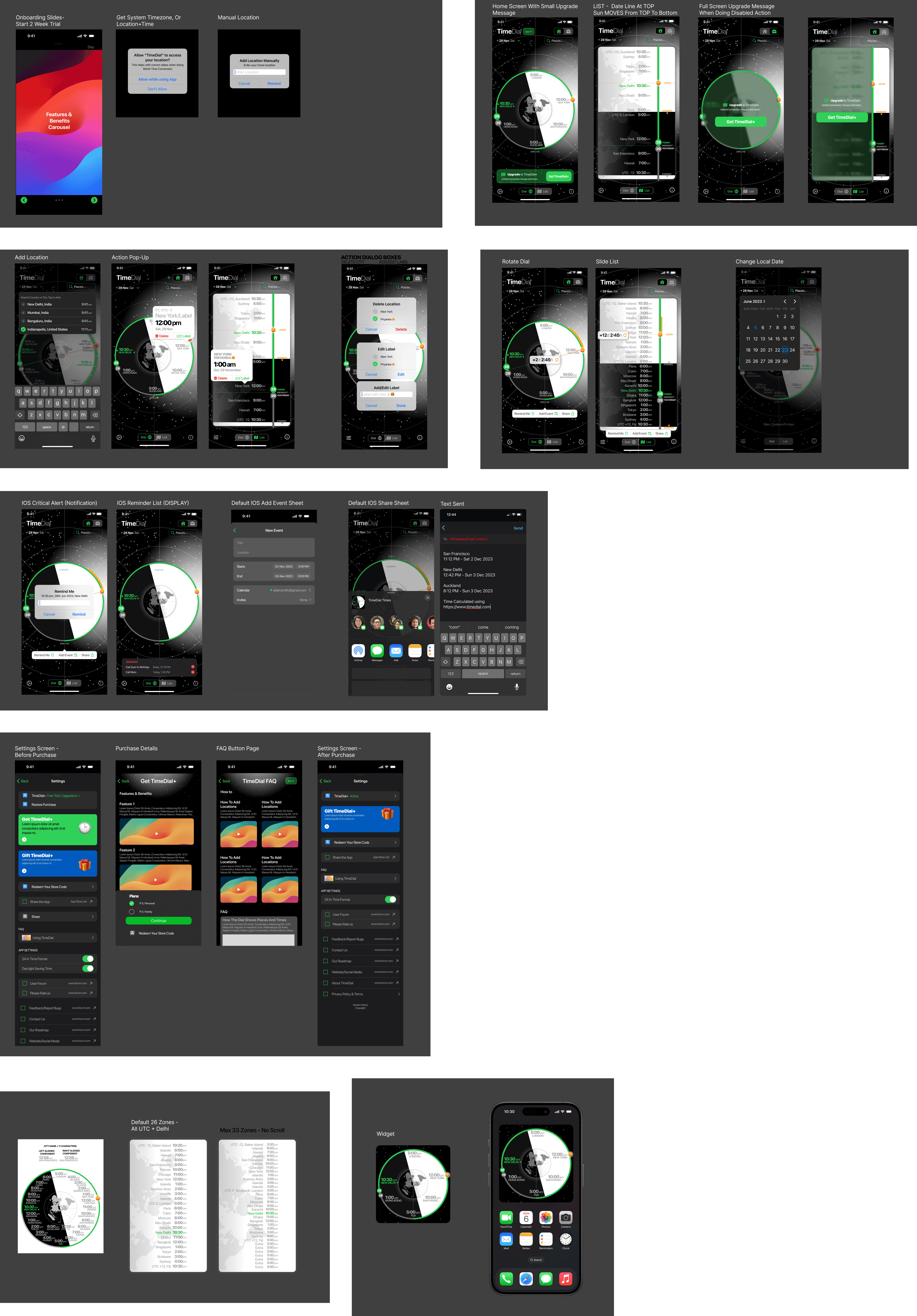
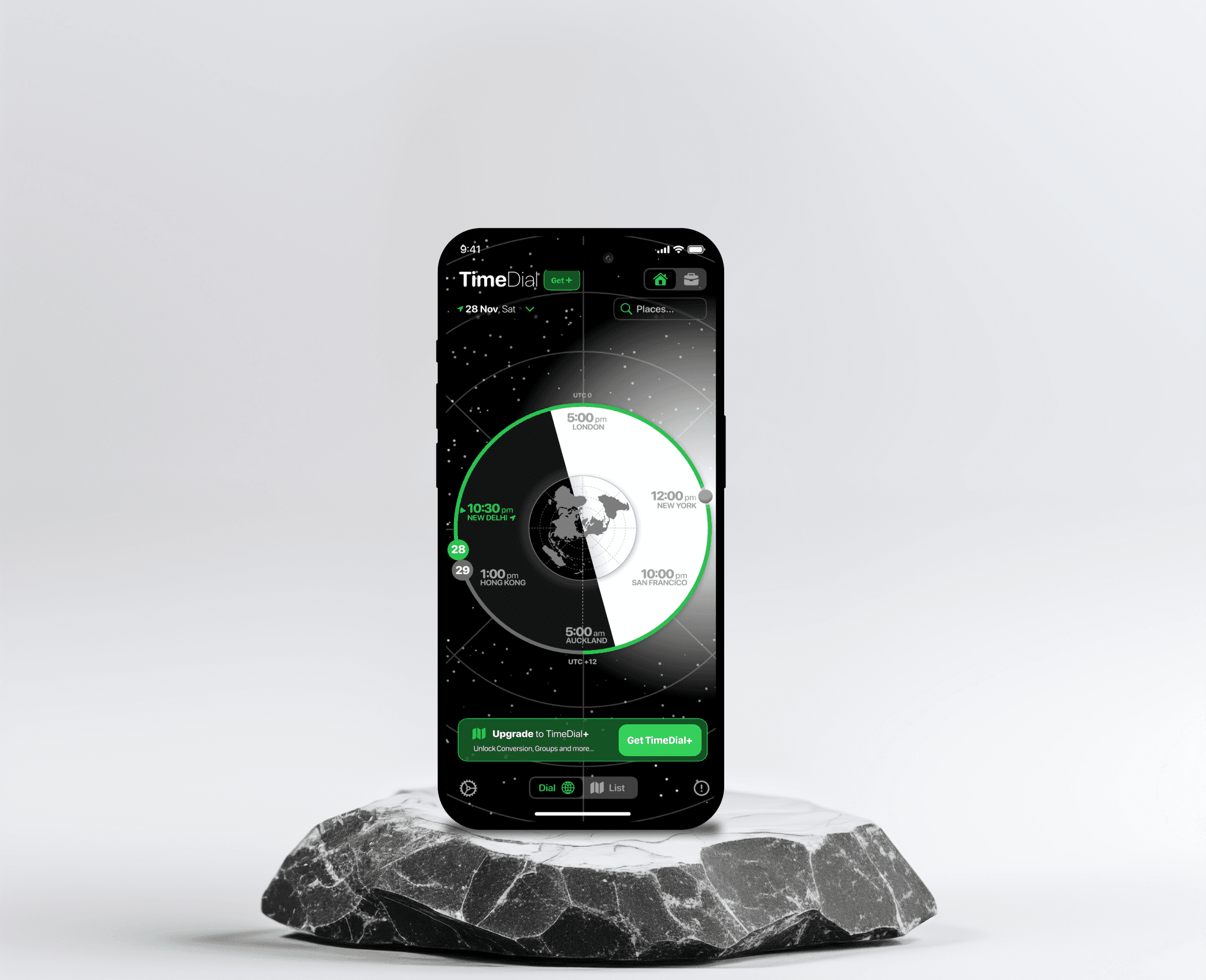
Earth Clock is an intuitive World Clock & Time Zone Planner designed for professionals, remote teams, travelers, and families with global connections. It helps users effortlessly compare time zones, schedule meetings, and manage international communication through an interactive rotatable time dial, color-coded time indicators, and smart scheduling features. With a minimalist design and seamless calendar integration, Earth Clock makes global time management simple and stress-free.
Brief Received:
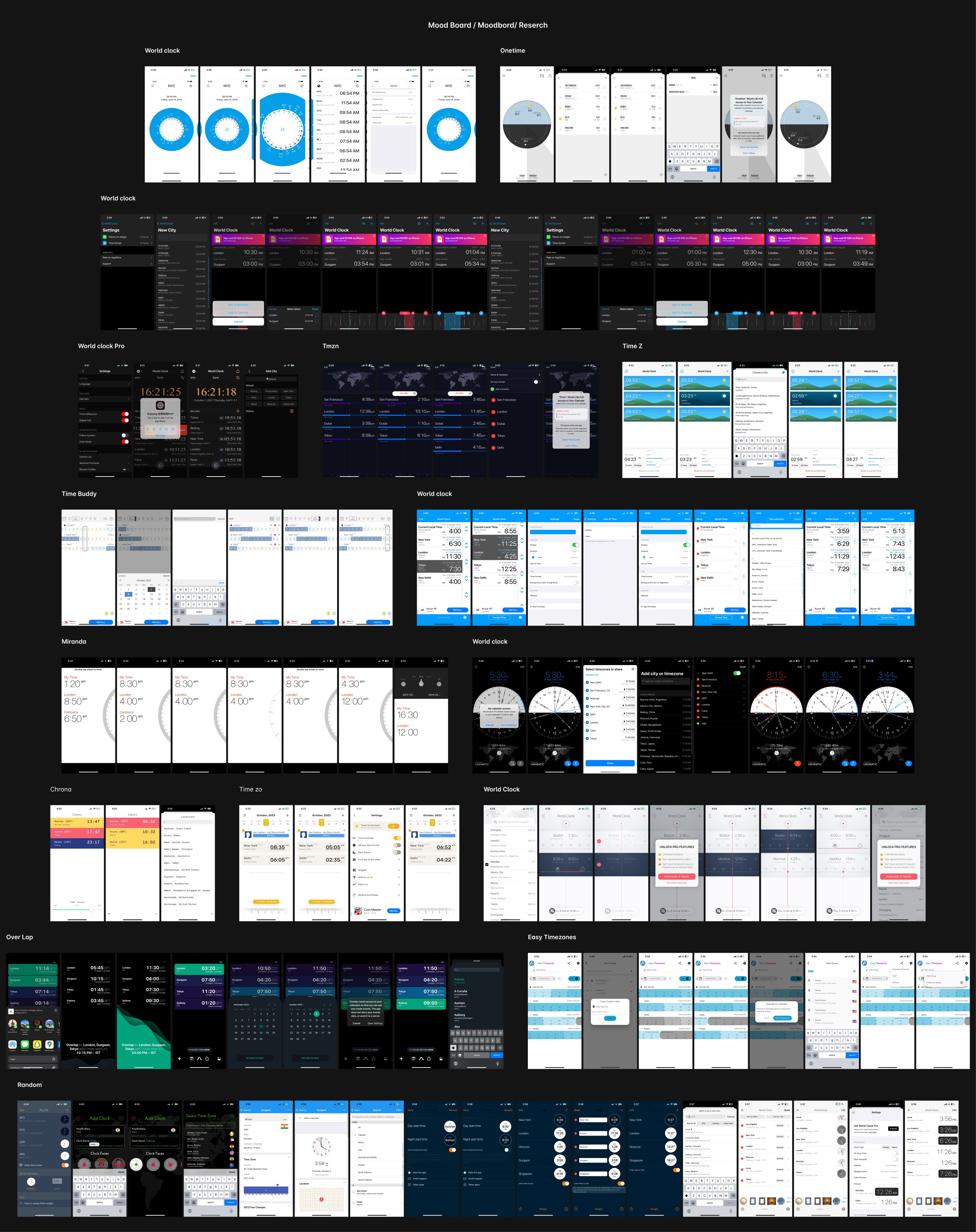
In a globally connected world, scheduling across multiple time zones remains a challenge for professionals, remote teams, and frequent travelers. Existing world clock solutions are static and lack an intuitive way to compare times and set meetings efficiently. The goal was to design a World Clock & Time Zone Planner that allows users to quickly view, compare, and shift time across cities, helping them schedule meetings and manage productivity seamlessly.
Objective
Design a user-friendly world clock that helps professionals, travelers, and remote teams coordinate across multiple time zones.
Enable users to compare time shifts effortlessly.
Provide smart scheduling features, including calendar integration and “Ok to Call” indicators.
Make the experience visually engaging while keeping the interface minimalistic.
Discovery Phase - User Ecosystem
(Target Users & Their Goals)
Remote Workers & Global Teams
Need a tool to quickly check overlapping work hours.
Want to schedule meetings without switching between multiple apps.
Frequent Travelers & Digital Nomads
Need to keep track of home and destination time zones.
Want to schedule activities and meetings in different locations.
Business Professionals & Entrepreneurs
Need to plan international meetings with minimal effort.
Want to avoid time zone confusion when sending invites.
Families with International Connections
Want to know the best time to call loved ones.
Need a simple way to manage time differences.
Design Challenges
1. Handling Multiple Time Zones
Users struggle to compare more than two time zones at once.
Keeping track of changes (daylight savings, local adjustments) adds complexity.
2. Making Time Comparison Effortless
Users need a visual, intuitive way to shift time across multiple locations.
Avoid clutter while displaying multiple cities dynamically.
3. Seamless Scheduling & Sharing
Users should be able to quickly copy & share converted times.
Integration with calendars should be non-intrusive yet accessible.
4. Keeping It Visually Clean
Avoid overloading the UI with excessive numbers, clocks, and controls.
Provide a modern, minimalistic design without losing functionality.
Solutions
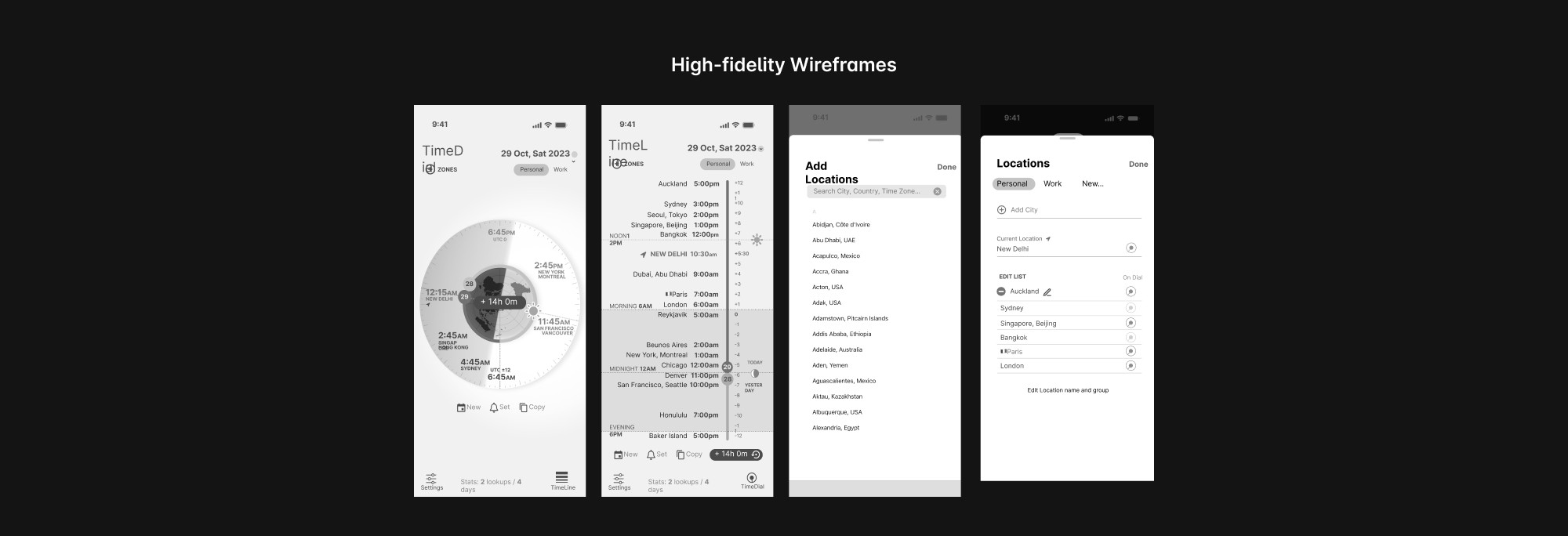
1. Interactive Time Dial
A rotatable clock dial allows users to shift time and see instant updates across cities.
Drag-based interaction makes it intuitive.
2. Smart Time Indicators
Color-coded hours for work, personal, and off-hours.
Labels for today/tomorrow/yesterday to avoid confusion.
3. Quick Scheduling & Sharing
"Copy time" feature for one-tap sharing in messages, emails, and social apps.
Calendar integration to create events instantly from the app.
4. Personalization & Customization
Users can rename cities and create groups (e.g., "Work," "Family").
Custom working hours to highlight when someone is available.
Key Features
Main Clock Screen
Displays 4-8 world cities dynamically.
Rotatable time dial for easy comparison.
Reset button to return to the current time.
Extended City List
Users can manage larger lists of cities.
Grouping options (Work, Family, etc.).
Sorted by time zone automatically.
Scheduling & Notifications
Calendar integration for quick event creation.
“Ok to Call” indicators for optimal scheduling.
Alarms & reminders for different time zones.
Customization
Choose which cities appear on the main vs. secondary screen.
Custom themes & dark mode.
Widgets & Accessibility
Home screen widget for a quick glance at world time.
Voice assistant support for hands-free time conversions.
Visual Principles
Clarity & Simplicity
Minimalistic interface to reduce cognitive load.
Sans-serif typography for easy readability.
Meaningful Color Coding
Work hours (Green), Off-hours (Gray), Sleeping hours (Red).
Gradient backgrounds to indicate time shifts smoothly.
Focus on Functionality
Large rotatable clock UI as the primary interaction.
Subtle animations for a polished experience.
Dark & Light Mode Support
Ensures visibility in low-light environments.
Final Design
The final design provides an interactive, intuitive, and visually appealing way to manage time zones. It includes:
A rotatable time dial for instant comparison.
Color-coded time indicators for clarity.
Quick scheduling & sharing options.
A clean, minimalist UI with a focus on usability.
A home screen widget for quick access.
With these solutions, the World Clock & Time Zone Planner app makes global collaboration easier, reducing scheduling confusion and improving productivity.